Simplifying Holiday Management in ZFour HRMS: A Guide for Admins
Let’s be honest — managing holidays can be trickier than it sounds. Between regional holidays, office events, and last-minute updates, things can quickly become messy.
And as an admin, you’re the one who makes sure everything runs smoothly — so your team can relax without confusion.
That’s exactly where ZFour HRMS comes in. It helps you handle all your holiday management tasks in one clean, simple dashboard — saving you time, effort, and a few inevitable “Is tomorrow a holiday?” messages.
Why Holiday Management Really Matters in HRMS
Holiday management isn’t just about marking dates on a calendar — it’s about keeping your team informed, your records accurate, and your workflows balanced.
Here’s what happens when it’s not done right:
- Employees show up (or don’t) on the wrong day
- Payroll gets messy because attendance wasn’t updated
- Managers get frustrated with mixed schedules
When you have a proper holiday management system, everything stays connected — your attendance, leaves, and payroll all sync perfectly. And that means fewer errors and more happy employees.
Setting Up Holidays in ZFour HRMS (Admin’s Step-by-Step View)
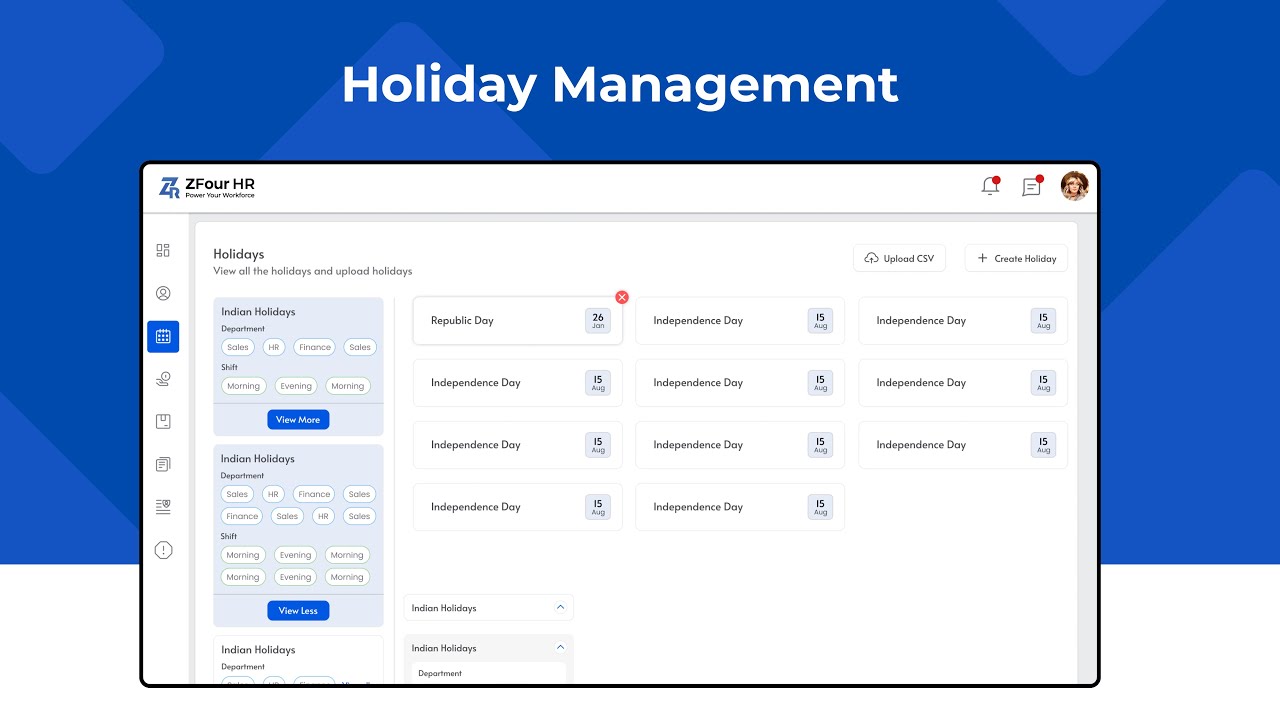
Here’s how you can easily manage holidays on your ZFour dashboard:
- Log in as Admin: Go to your admin panel and open the main dashboard.
- Click on “Holiday Management: under Attendance or Settings.
- Add a New Holiday:Enter the holiday name (like “Diwali” or “Company Foundation Day”)Pick the date and type (national, regional, or optional)Add a short description if needed
- Enter the holiday name (like “Diwali” or “Company Foundation Day”)
- Pick the date and type (national, regional, or optional)
- Add a short description if needed
- Assign it to Specific Branches or Departments: If your organization has multiple offices, you can customize holidays accordingly.
- Save — and You’re Done!The system will automatically update the attendance and payroll sections.
Pro tip: Review your annual holiday list at the start of every year — it saves you from multiple corrections later.
Why Admins Love ZFour’s Holiday Management Feature
- Easy setup: Add, edit, or remove holidays in just a few clicks.
- Branch-wise customization: Perfect for organizations across multiple cities.
- Automatic sync: Payroll and attendance update automatically — no extra work.
- Employee transparency: Everyone can see upcoming holidays in their portal.
- Zero confusion: Say goodbye to endless “Is today working?” messages.
Watch the Training Video
If you prefer learning visually, check out our full Holiday Management training video on YouTube. It walks you through every step, from adding holidays to syncing them for all employees.
Learn Holiday Management in Minutes
Final Thoughts
Holiday management might sound like a small task, but it’s one of the biggest time-savers when handled right.
With ZFour HRMS, you’re not just managing holidays — you’re creating clarity, boosting trust, and building a more organized workplace.
So, take a deep breath, grab your coffee, and let ZFour handle the dates while you focus on what matters most — your people.
Want to see how ZFour HRMS can make holiday management effortless for your team?
Book a demo today and get a guided tour of attendance, holiday, and payroll management — all in one place.