Policies Management in Admin Portal: A Complete Guide for 2025
Every company runs on rules—attendance guidelines, leave policies, work-from-home rules, behavior guidelines, security instructions, and so much more.
ZFour HRMS is designed so that anyone—HR, admin, or employee—can easily find and understand company policies without getting confused.
Here’s the simplest, most human-friendly guide to help you use the Policies Management section smoothly.
Step 1: Log in to Your ZFour HRMS Account
Start by opening your ZFour HRMS link. Enter your username and password, and click
Login.
Once you're inside, you’ll see your dashboard.
Nothing complicated—everything is clearly placed.
Step 2: Go to the “Admin” Section
On the left-hand menu, you’ll see a list of options.
Click on Admin.
This is the main area where all company settings and tools are kept.
You’ll find things like employee details, attendance, and yes—policies.
Step 3: Open “Policies Management.”
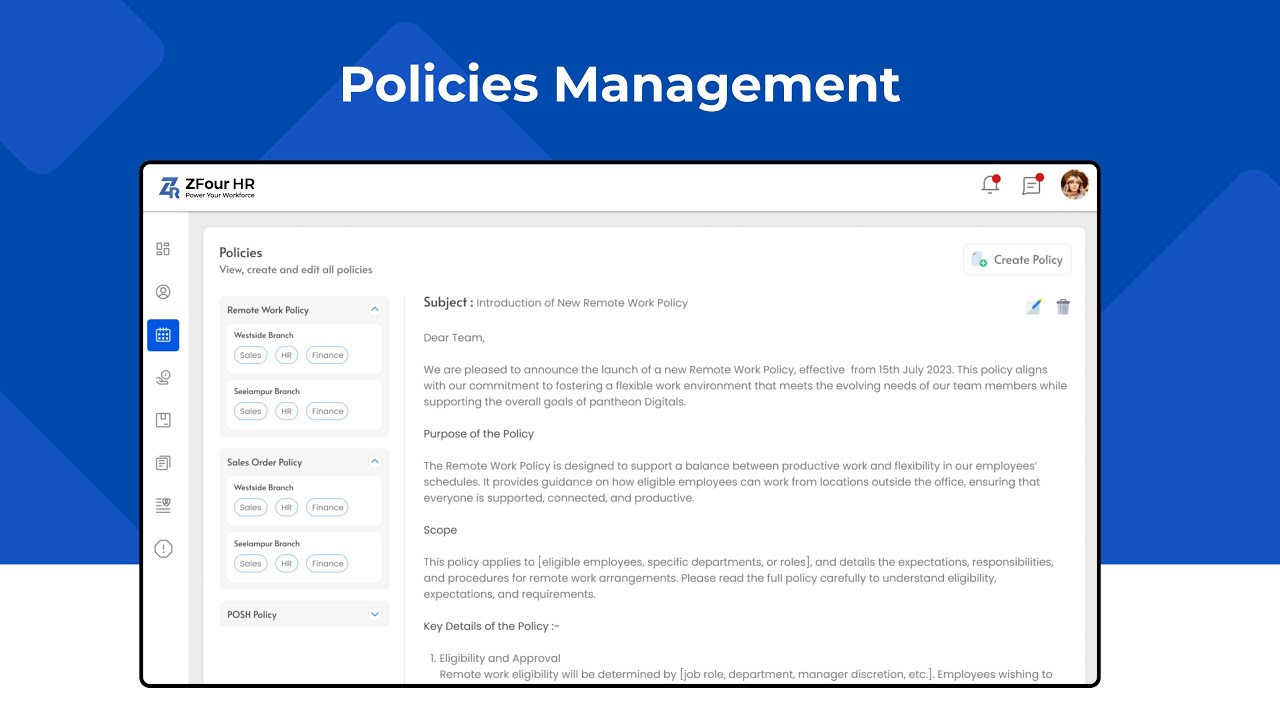
Inside the Admin section, look for Policy Management and click on it.
This is your complete policy center where you can:
- View all existing policies
- See what’s newly updated
- Check categories
- Open any document you want to read
It’s arranged neatly so nothing feels confusing.
Step 4: Add a New Policy (For Admin Users)
If you’re an admin and want to upload a new company policy:
- Click Add Policy
- Type in the Policy Title
- Select a Category (HR, IT, Security, etc.)
- Upload your policy document OR type it directly
- Choose who can see it (all employees / specific teams)
- Click Save
The moment you save it, the policy becomes visible to employees.
Step 5: Update an Existing Policy
Policies change often — whether it’s a new WFH rule or an updated leave system.
To update one:
- Select the policy
- Click Edit
- Upload the new version or update the text
- Save your changes
Employees will now see the latest version automatically.
Step 6: View Policies (For Employees)
Employees don’t need to ask HR again and again.
They can:
- Click on the policy
- Read it online
- Check when it was last updated
Everything is just one click away.
Ready to Simplify Your Policy Management?
If your company wants to keep policies clear, updated, and easily accessible, ZFour HRMS is the perfect place to start.
Try the Policies Management module today—it keeps HR relaxed, employees informed, and the whole organization stress-free.
Connect with us today, and we’ll help you get started quickly and smoothly.