How to Request Reimbursement in ZFour HRMS Easily
All businesses know that employees often have to pay for things like travel, food, and office supplies that are important to their professions.
Handling these repayments by hand could take a long time and be simple to mess up.
That's why ZFour HRMS makes it easy, clear, and fast to receive your money back.
This blog post will show you how to ask for reimbursement in ZFour HRMS and get your claims approved quickly.
What Does "Reimbursement" Mean in HRMS?
Reimbursement is when workers get paid back for charges they paid for themselves that were relevant to work.
Here are several examples:
- Costs of going places
- How much meals costs on business travels
- Costs of meeting with customers
- Getting tools or supplies for work
With ZFour HRMS, you can file, keep track of, and manage all of these claims in one place online. This saves time and makes less paperwork.
Why Should You Use ZFour HRMS to Get Your Money Back?
If your business needs to handle reimbursements, ZFour HRMS is the best choice for these reasons:
- Easy to file a claim—Employees can upload receipts and other information with only a few clicks.
- Automatic approvals—Managers can quickly check over and approve claims.
- Tracking in real time—Workers may monitor how their claims are doing at any time.
- Clear records—HR and finance teams get clear reports for audits.
How to Ask for Money Back in ZFour HRMS Step by Step
To make your refund request, just do these easy things:
Step 1: Log in to your account with ZFour HRMS: Use your username and password to get into your company's HRMS portal.
Step 2: Click on "Reimbursement": In the main menu on the dashboard, click "Reimbursement."
This section shows all of your past claims and whether or not they were approved.
Step 3: To add a new request, click "Add New Request": Click the "+ Add" button to make a new claim for reimbursement.
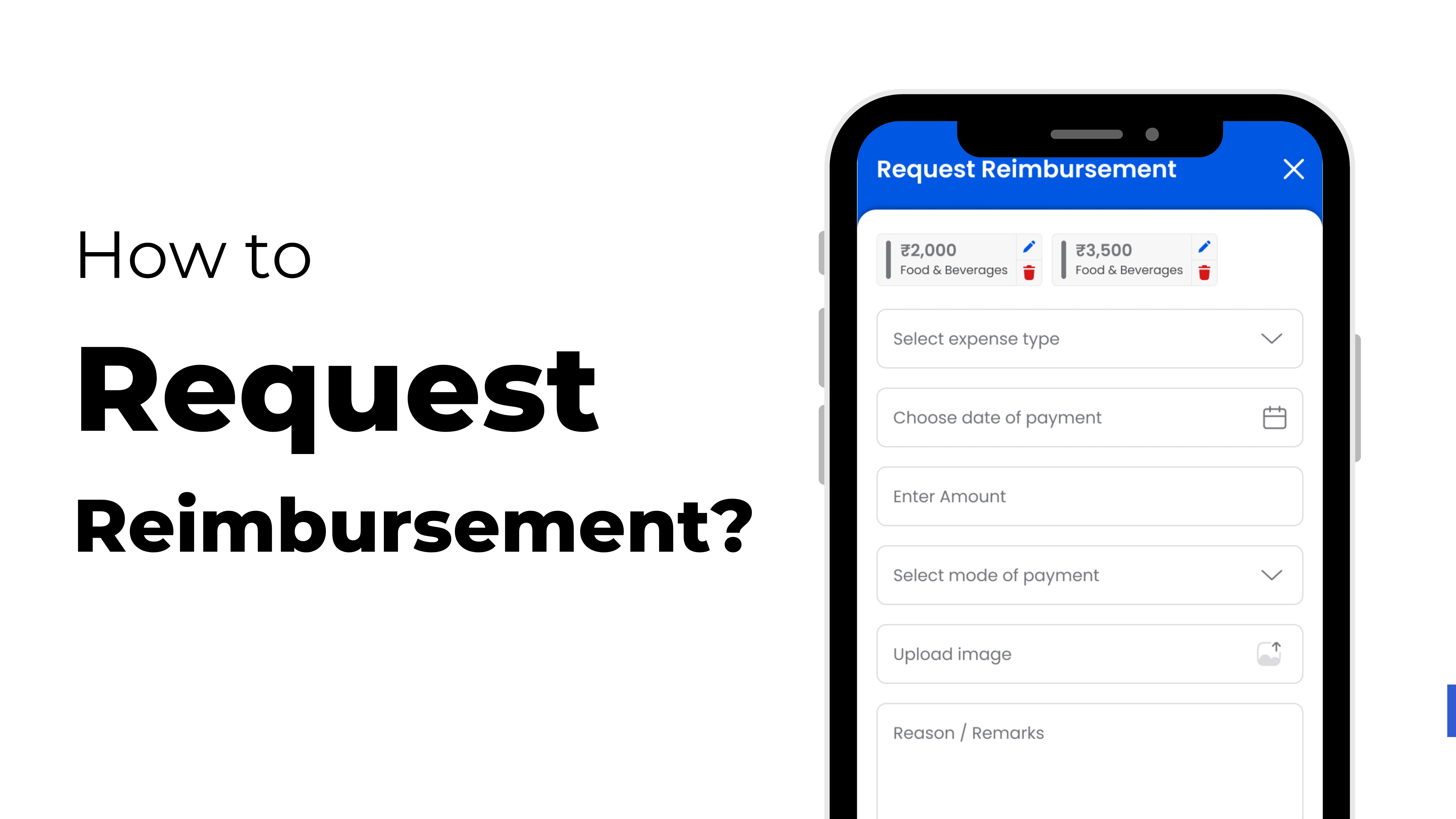
Step 4: Enter the details: Please provide the following information:
- What kind of expense is it? (Food, travel, office supplies, etc.)
- The date of the cost
- Amount spent
- Why or what the cost is for
Step 5: Include papers that back up your claim: Please upload scanned copies or images of your receipts or invoices as proof of your spending.
Step 6: Send in for Approval: Click "Submit" when you're done. According to company policy, your manager or HR department will read it and give it the green light.
Quick Tips to Get Your Refund Authorized
- Check that all of the receipts are clear and easy to read.
- Put in the proper numbers and categories for your costs.
- Within the company's time range, send in your request for compensation.
- Give a good business reason for each cost.
Advantages of Using ZFour HRMS for Reimbursements
- Less mistakes made by hand
- A quicker way to gain authorization
- Easy to obey the regulations
- Centralized information on costs
- Employees are happier with their jobs
Last Thoughts
It doesn't have to be hard to get your money back. Using ZFour HRMS, the whole process, from submission to approval, is rapid, easy, and clear.
So the next time you have to pay for something for your business, all you have to do is log in to ZFour HRMS and ask for your money back.
Simplify your expense claims—try ZFour HRMS now!