Step-by-Step Guide: How to Request Advance Salary in ZFour HRMS
Sometimes, unexpected expenses come up—a family function, medical emergency, or personal need that just can’t wait until the next payday.
In such moments, getting an advance salary can make things easier.
With ZFour HRMS, you no longer need to send emails or fill out paper forms. You can request an advance salary online in just a few clicks and keep track of your request from start to finish—all in one place.
What Is an Advance Salary Request?
An advance salary request is when an employee asks for a part of their upcoming salary before the regular payday.
It’s usually meant to help during emergencies or financial needs.
The requested amount is later deducted automatically from the next month’s salary.
With ZFour HRMS, this process becomes fast, transparent, and completely digital.
Step-by-Step Guide: How to Request Advance Salary in ZFour HRMS
Follow these simple steps to raise your advance salary request:
Step 1: Log in to ZFour HRMS
Start by logging in with your official credentials. You’ll land on your personalized employee dashboard.
Step 2: Go to the “Advance Salary” Section
From the main menu, open the Payroll or Salary tab, then select Advance Salary Request.
Step 3: Add Details
Click on Add New Request and enter the required information:
- Requested amount
- Purpose or reason
- Repayment duration or deduction details
Step 4: Submit for Approval
Once all details are filled in, click Submit. Your request will automatically go to your reporting manager or HR for review.
Step 5: Track the Status
You can check the progress of your request anytime under the same section.
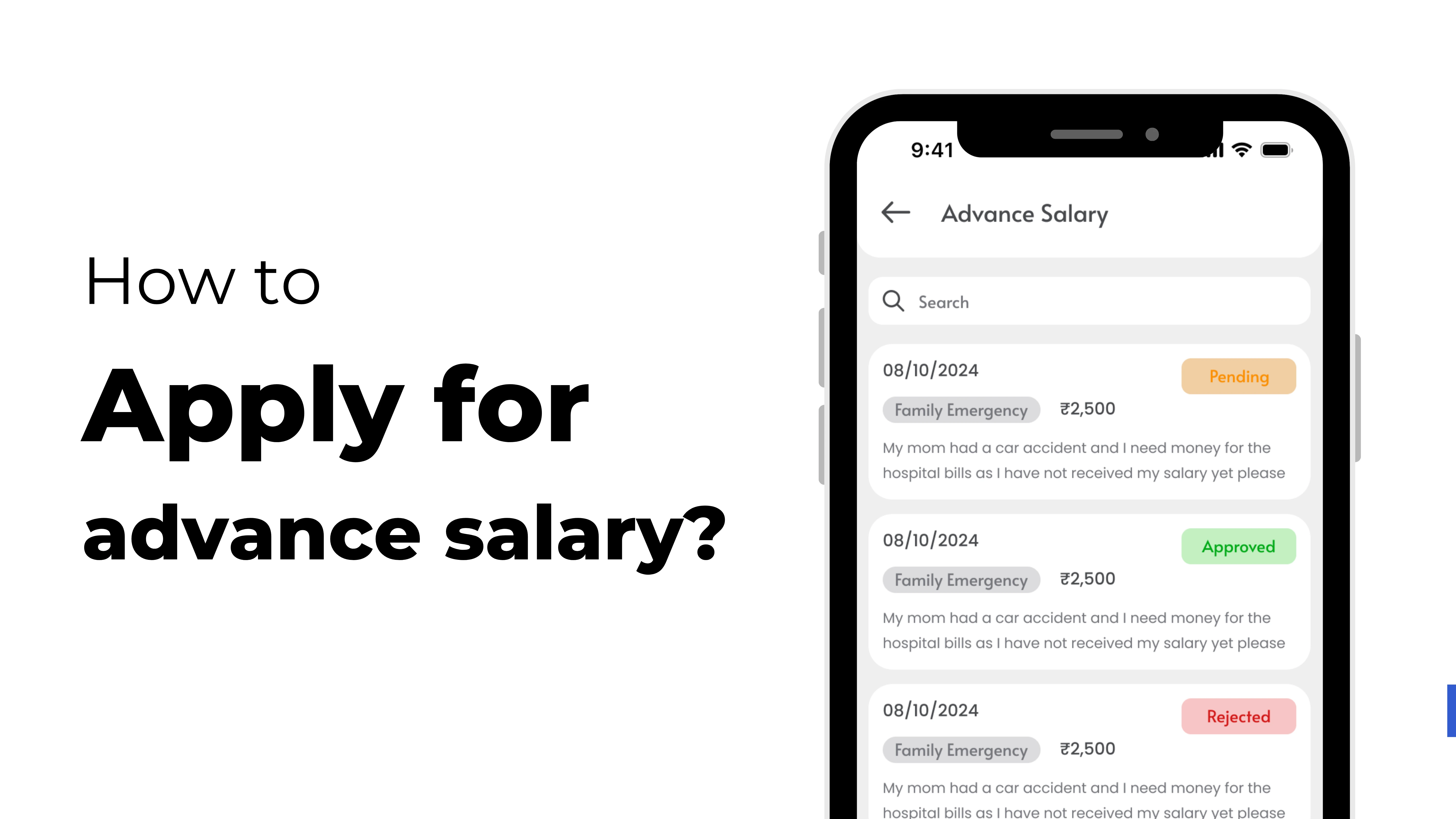
The system shows clear status updates such as Pending, Approved, Rejected, or Processed.
No follow-ups or confusion—ZFour HRMS keeps everything transparent.
Why Request Advance Salary Through ZFour HRMS
- Quick and simple process with no paperwork
- Real-time status tracking
- Faster approvals with automated notifications
- Advance automatically reflected in payroll
- One dashboard for salary, leaves, and attendance
Conclusion
Requesting an advance salary doesn’t have to be complicated.
With ZFour HRMS, employees can raise a request, get quick approval, and track payments easily—without paperwork or delays.
It’s simple, efficient, and designed to make financial management effortless for both employees and HR teams.
Pro Tip
You can also download your salary slip and advance salary details in PDF or Excel format directly from the ZFour HRMS dashboard.
This helps you keep a clear record of deductions and payments.
With ZFour HRMS, requesting an advance salary is easier than ever.
Book a free demo today and see how simple salary management can be!