A Complete Guide to Using the To-Do List Feature in ZFour HRMS
When you're busy at work, it can be hard to remember what you have to do every day. When you have meetings, deadlines, and team updates, it's easy to lose focus.
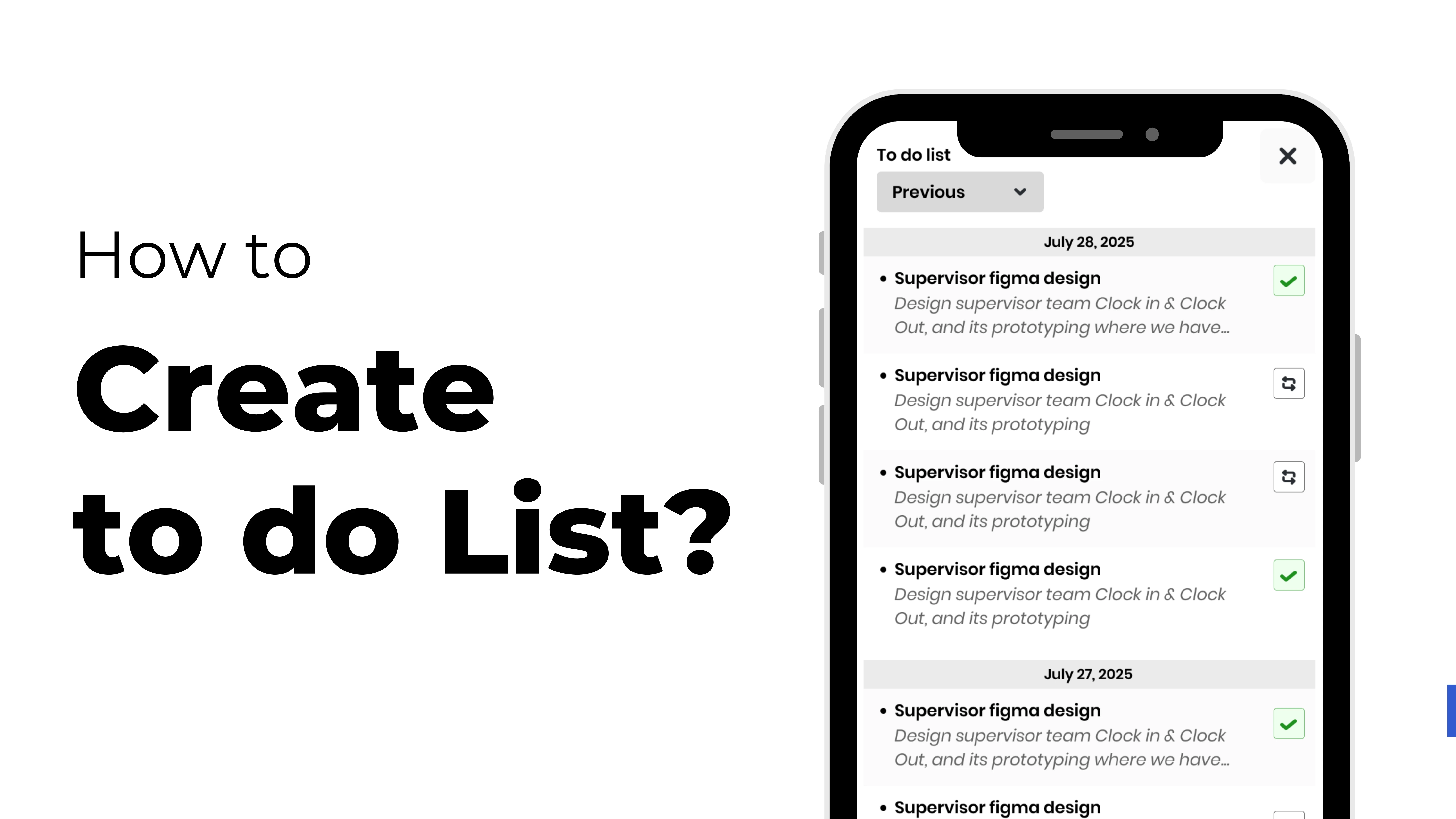
The To-Do List feature in ZFour HRMS helps you keep track of what you need to do and get it done.
With ZFour HRMS, let's discover how to construct and keep track of your To-Do List so you never forget an important task again.
Why You Should Use the To-Do List in ZFour HRMS
The To-Do List that comes with ZFour HRMS helps both employees and HR professionals get their work done fast and properly.
You can't just write down your responsibilities; you also have to keep track of which ones are most important, create reminders, and make sure everyone is doing their part.
There are a number of advantages, such as:
- It's easy to make and change tasks.
- Making a list of the most important things to do
- Keeping track of due dates
- More focus and work done every day
Step by Step: How to Use ZFour HRMS to Make a To-Do List
Step 1: Log in to your ZFour HRMS dashboard
You can log into your ZFour HRMS account with your login details. After you sign in, navigate to your Employee Dashboard.
Step 2: Click on the link that says "To-Do List"
You can find the To-Do List option on the main dashboard. Click on it to open your own task management.
Step 3: Add a New Task
Go to your dashboard, find the To-Do List option, and click the “>” arrow. You will see two options — Add Note and Add Sub Note.
- Add Note: Use this to create your main task.Example: “Prepare Monthly Attendance Report.”
- Add Sub Note: Use this option to add smaller steps under your main task.Example:Collect data from all departmentsVerify attendance recordsSubmit final report to HR Manager
- Collect data from all departments
- Verify attendance records
- Submit final report to HR Manager
This helps you break down your work into smaller, manageable steps while keeping everything organized in one place.
Step 4: Keep note of how far you've come and keep it
Your To-Do List will show you the work you did after you finish it. You can mark tasks as done, edit them if your plans change, or delete them if you don't need them longer. This keeps your desk clean and organized.
Step 5: Check and take care of everything every day
Make sure to check your To-Do List every morning. You may rearrange your tasks, create new due dates, and keep track of what you still need to complete or have already done.
This helps you stay focused and get things done at work.
Why It Matters
You do better when you arrange your day wisely. ZFour HRMS is more than just a tool for handling HR responsibilities.
It helps employees stay on track with everything from attendance to productivity by becoming a complete work management solution.
The To-perform List feature lets you perform the following:
- All day long, keep things in order
- Never miss a deadline that is vital.
- Focus on the things that matter most.
- Take care of your time better and lower your stress levels.
Today's Tip
You may put your to-do list and project deadlines together in ZFour HRMS.
This helps your team make sure that everyone's goals are in line with the company's goals, which makes everyone work better and feel more connected.
Last Thoughts
ZFour HRMS makes it easier than ever to construct a simple to-do list that will revolutionize how you operate.
You may start generating your daily to-do list immediately with ZFour HRMS. You can also keep track of your goals and get more done every day.
Stay productive, stay organized — powered by ZFour HRMS.